
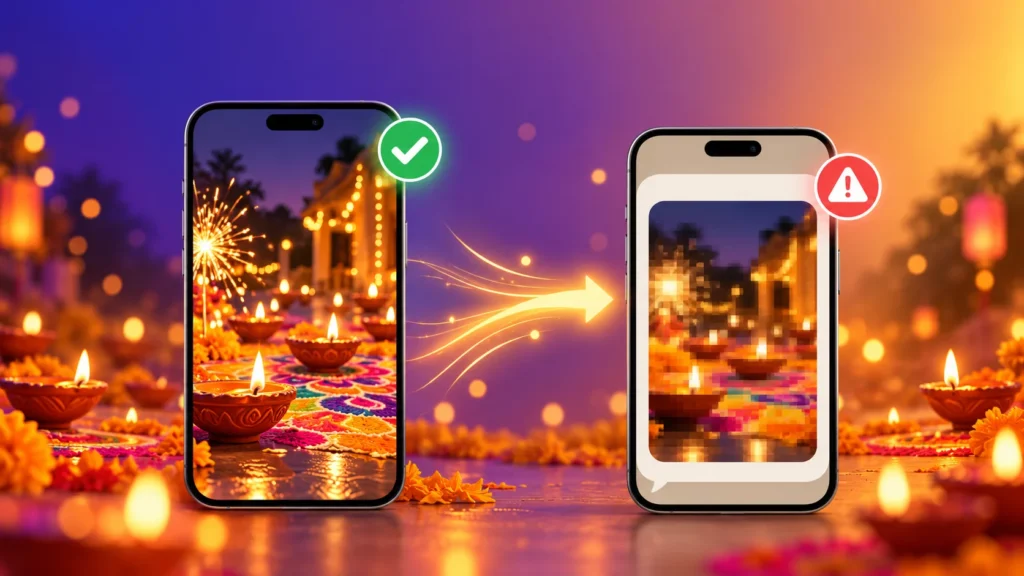
Diwali is the most photographed night of the year in India — diyas, rangoli, sparklers, family in new clothes. Then you send those photos on WhatsApp, and they arrive blurry, grainy or weirdly cropped. Here are the 5 most common mistakes that ruin Diwali photos on WhatsApp and Instagram, and how to fix each one in seconds before 8 November.
Mistake 1: Sending Diwali Photos as Normal WhatsApp Photos
WhatsApp compresses every photo you send to save data. Night photos suffer the most: the diya glow turns into blotches, and dark areas fill with noise.
The fix:
- Tap the HD button before sending for noticeably better quality
- For full quality, send the photo as a Document — it arrives exactly as you took it
Want to know why this happens? Read our guide to uncompressed photos.
Mistake 2: Using the Wrong Size for Status and Instagram
Post a photo at the wrong shape, and WhatsApp Status or Instagram crops it automatically — often cutting off heads, rangoli edges or the diya you lined up perfectly.
Use these Diwali-ready sizes:
| Where You’re Posting | Best Size (pixels) | Shape |
|---|---|---|
| WhatsApp Status | 1080 × 1920 | Tall (9:16) |
| Instagram Post | 1080 × 1350 | Portrait (4:5) |
| Instagram Story / Reel Cover | 1080 × 1920 | Tall (9:16) |
| WhatsApp DP | 500 × 500 or larger | Square (1:1) |
The fix: resize your photo to the exact size in seconds with our free Image Resizer, then post. No surprise crops.
Mistake 3: Sending iPhone Photos That Relatives Can’t Open
iPhones save photos as HEIC. Sent as documents or shared through Google Drive, those Diwali photos often won’t open on Android phones or Windows laptops — so half the family group sees an error instead of your rangoli.
The fix: convert HEIC to JPG with our Image Converter before sharing. You can convert many photos to JPG at once, so the whole album is ready in one go.
Mistake 4: Downloaded Diwali Wishes Won’t Send or Set as Status
Downloaded a beautiful “Happy Diwali” greeting from a website, and now it won’t upload, opens as a sticker, or won’t set as your status? Many greeting sites serve images as WEBP, which a lot of apps don’t treat as a normal photo.
The fix: convert it with our WEBP to JPG Converter, and it will work like any other photo. If the file ends in .avif, use the AVIF to JPG Converter instead.
Mistake 5: Forwarding the Same Image Again and Again
Every time a photo is forwarded and re-sent, it gets compressed again. By the time a Diwali greeting has travelled through five family groups, it looks soft, blocky and faded.
The fix: share the original file, not a forwarded copy. If you’re sending your own greetings, keep the original saved and send it fresh each time.
Bonus: 5 Quick Tips for Better Diwali Night Photos
- Turn off the flash — it kills the warm diya glow and makes faces look flat
- Use Night mode on your phone and hold still for 2-3 seconds
- Tap on the diya or sparkler to focus and set the brightness
- Wipe your camera lens — festive hands are often oily or sweet-sticky
- Shoot rangoli from directly above for a clean, symmetrical shot
Your 10-Second Diwali Photo Checklist
- Resize to the right shape with the Image Resizer
- Convert iPhone or downloaded images to JPG with the Image Converter
- Send using HD or as a Document
All our tools are free, need no sign-up, and work right in your phone’s browser. Your Diwali photos never leave your device.
Frequently Asked Questions
Why do my Diwali photos look blurry on WhatsApp?
WhatsApp compresses photos to send them faster, and night photos with diyas and lights suffer the most. Use the HD option or send the photo as a Document to keep full quality.
What size should a WhatsApp status photo be?
1080 × 1920 pixels (a tall 9:16 shape) fits WhatsApp Status perfectly without cropping. Use the Image Resizer to set it exactly.
What is the best size for Diwali photos on Instagram?
1080 × 1350 pixels (portrait 4:5) takes up the most space in the feed and looks best for festive photos.
Why can’t my family open the Diwali photos I sent from my iPhone?
iPhone photos are saved as HEIC, which many Android phones and Windows PCs can’t open. Convert them to JPG before sharing.
Why won’t my downloaded Diwali greeting image set as my WhatsApp status?
It’s probably a WEBP file. Convert it to JPG with the WEBP to JPG Converter and try again.
Is it safe to edit my family photos online?
With ImgFormats, yes. Every tool runs inside your browser, so your photos are never uploaded, stored or shared.