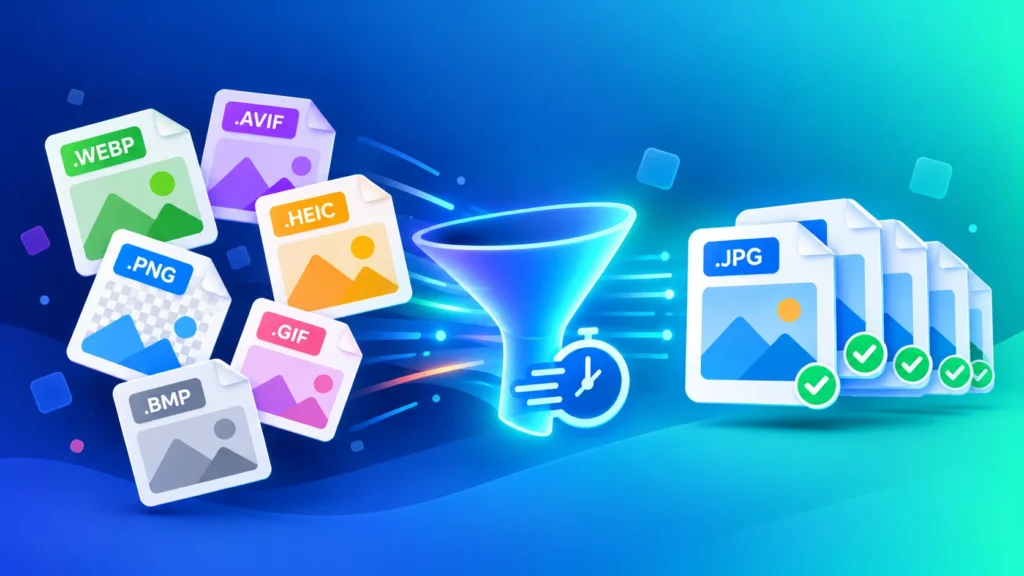
Your downloads folder probably looks like a format zoo: .webp from websites, .avif from Chrome, .heic from your iPhone, a .png screenshot and maybe an old .bmp. In 2026, images come in more formats than ever — but most apps, forms and people still just want a JPG. Here’s how to convert many image formats to JPG in seconds for free, all at once, right in your browser.
Why Do I Have So Many Different Image Formats in 2026?
A few years ago, almost every image was a JPG or PNG. Now, every platform picks its own format to save space and load faster:
- Websites serve WEBP and AVIF images because they’re smaller and faster
- iPhones save photos as HEIC by default to save storage
- Screenshots and graphics are usually PNG
- Memes and animations come as GIF
- Old files, scanners and Windows apps often produce BMP or TIFF
And it’s not slowing down: Chrome recently added support for JPEG XL, yet another new format you’ll start seeing. More formats mean more files that won’t open, won’t upload and won’t send.
Why JPG Is Still the Format Everyone Accepts
JPG is the one image format that works practically everywhere:
- Opens on every phone, computer and photo app
- Accepted by job, exam, college and government application forms
- Sends normally on WhatsApp, email and social media
- Accepted by print shops and photo kiosks
That’s why the fastest fix for almost any image problem is simple: turn it into a JPG.
Convert Many Image Formats to JPG in Seconds for Free
You don’t need a different tool for every format. With our Image Converter, you can drop in a mix of files and convert them all to JPG in one go:
- Open the Image Converter.
- Drag and drop all your images — WEBP, AVIF, HEIC, PNG, GIF, BMP, TIFF and more, mixed together.
- Choose JPG as the output format.
- Click convert and download your JPG files.
That’s it. No sign-up, no watermarks, and no waiting for uploads — everything runs locally in your browser, so your photos never leave your device.
Which Formats Can You Convert to JPG?
| Format | Where It Usually Comes From | Fastest Way to JPG |
|---|---|---|
| WEBP | Images saved from websites | WEBP to JPG |
| AVIF | Newer websites, Chrome downloads | AVIF to JPG |
| HEIC | iPhone and iPad photos | Image Converter |
| PNG | Screenshots, graphics, logos | Image Converter |
| GIF | Memes, simple animations | Image Converter |
| BMP / TIFF | Scanners, old files, Windows apps | Image Converter |
Converting just one format? The dedicated WEBP to JPG and AVIF to JPG converters are already set up for you — drop the file in and download.
Convert Images to JPG in Bulk (Mixed Formats at Once)
This is where most free tools fall short: they make you convert one format at a time. With ImgFormats, you can select a whole folder of mixed images — say, 10 WEBP downloads, 20 iPhone HEIC photos and a few PNG screenshots — and convert them all to JPG in a single batch.
It’s perfect for:
- Students and job seekers preparing photos and documents for online applications
- Online sellers collecting product photos from different devices
- Families sharing iPhone photos with Android and Windows users
- Anyone cleaning up a messy downloads folder
Does Converting to JPG Reduce Quality?
At a high quality setting (85-95%), the difference is practically invisible. A few things to know:
- From WEBP, AVIF or HEIC — the JPG will look the same but may be slightly larger, because JPG compresses less efficiently
- From PNG — the JPG is usually much smaller, but transparent backgrounds become solid (use PNG or WEBP for logos)
- From GIF — animations become a single still image
Need your JPG under a size limit, like 100KB for an application form? Shrink it with our Image Compressor, or set exact dimensions with the Image Resizer.
Why Convert in Your Browser Instead of Uploading?
Most free online converters upload your images to their servers, process them there, and send them back. That means waiting for uploads — and trusting a stranger’s server with your personal photos.
ImgFormats works differently. Every conversion happens on your own device, inside your browser. It’s faster for big batches, works without sending files over the internet, and keeps your photos completely private.
Frequently Asked Questions
Can I convert many image formats to JPG at once?
Yes. Drop a mix of WEBP, AVIF, HEIC, PNG, GIF, BMP and TIFF files into our Image Converter, choose JPG, and convert them all in one batch.
Is it really free to convert images to JPG?
Yes. ImgFormats is 100% free, with no sign-up, no watermarks and no hidden limits.
How long does it take to convert images to JPG?
Usually just a few seconds. Because there’s no uploading, conversion starts the moment you drop your files in.
Will converting to JPG remove the transparent background?
Yes, JPG doesn’t support transparency, so transparent areas become solid. For logos and cut-out images, convert to PNG instead using the WEBP to PNG converter or the Image Converter.
Does it work on my phone?
Yes. The converter runs in any modern mobile browser on Android and iPhone — no app needed.
Is it safe to convert my photos online?
With ImgFormats, yes. Your images are processed entirely on your device and are never uploaded, stored or shared.