
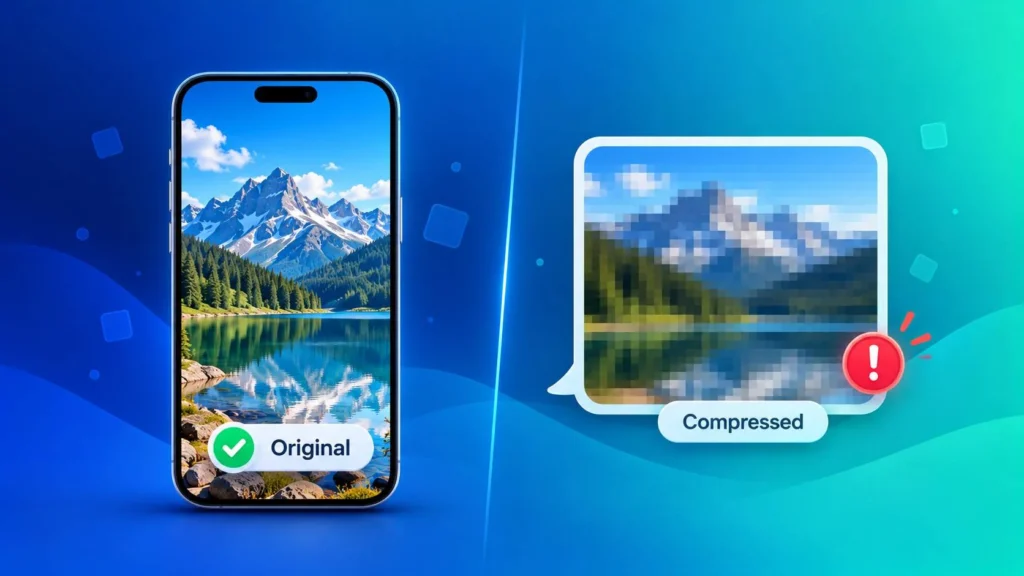
You took a sharp, detailed photo — then sent it on WhatsApp and it arrived blurry and tiny. That’s compression at work. Here’s what uncompressed photos really are, why apps shrink your images, and how to send photos without losing quality on WhatsApp, iPhone, email and more.
What Are Uncompressed Photos?
An uncompressed photo stores every pixel exactly as the camera captured it, with nothing removed to save space. That makes uncompressed images incredibly detailed — but also very large, often 20-50MB or more per photo.
In everyday use, though, people say “uncompressed photos” to mean something simpler: the original, full-quality photo, before an app like WhatsApp, Instagram or Messages shrinks it down.
Uncompressed vs Lossless vs Lossy: What’s the Difference?
Not all image files are compressed the same way. There are three types:
| Type | What Happens to Quality | File Size | Common Formats |
|---|---|---|---|
| Uncompressed | Nothing removed — every pixel kept | Huge | RAW, BMP, uncompressed TIFF |
| Lossless compression | Nothing visible removed — file is packed more efficiently | Large | PNG, lossless WEBP |
| Lossy compression | Some fine detail removed to save space | Small | JPG, HEIC, WEBP, AVIF |
The photos on your phone are almost always lossy (JPG or HEIC) — but at the original quality setting, they look excellent. The real quality loss happens later, when apps compress them again before sending.
Why Do Apps Compress Your Photos?
Messaging and social apps compress images to save data, storage and upload time. A 5MB photo might be shrunk to 200-300KB before it’s sent. That makes sending fast — but it also:
- Reduces the image dimensions (fewer pixels)
- Removes fine detail, making photos look soft or blurry when zoomed
- Adds blocky artifacts in skies, shadows and gradients
- Can convert the format — for example, PNG images sent as photos are typically turned into JPG
Each time a photo is forwarded and compressed again, the quality drops a little more.
How to Send Uncompressed Photos on WhatsApp
WhatsApp is the most common reason people search for uncompressed photos. You have two options:
- Use HD quality — after selecting a photo, tap the HD button at the top of the screen before sending. The photo is still compressed, but much less.
- Send as a Document — tap the attachment icon, choose Document, and select your photo. WhatsApp sends the original file with no compression at all, keeping full quality and the original format.
Sending as a document is the only true way to send uncompressed photos on WhatsApp. It’s also the answer to “does WhatsApp convert PNG to JPG?” — when sent as a normal photo, it usually does; sent as a document, your PNG stays a PNG.
Tip: if you’re sending iPhone photos as documents, they’ll arrive as HEIC files, which many Android phones and Windows PCs can’t open. Convert them to JPG first with our Image Converter.
How to Send Full-Quality Photos From iPhone
- AirDrop — sends the original, uncompressed photo to other Apple devices
- Messages — go to Settings → Messages and make sure Low Quality Image Mode is turned off
- Mail — when iPhone asks which size to send, choose Actual Size
- Transferring to a Windows PC — under Settings → Photos → Transfer to Mac or PC, choose Keep Originals to copy the full-quality HEIC files instead of converted versions
Which Apps Compress Photos? (Quick Reference)
| App or Service | Compresses Photos? | How to Keep Original Quality |
|---|---|---|
| Yes | Send as Document (or use HD) | |
| Telegram | Yes, as photo | Send as File |
| Yes, always | Upload at the recommended size to minimise loss | |
| iPhone Messages | Only in Low Quality Image Mode | Turn Low Quality Image Mode off |
| Email (Gmail, Outlook) | No — attachments stay original | Attach the file directly (mind the ~25MB limit) |
| Google Photos | In Storage Saver mode | Choose Original Quality backup |
For Instagram, uploading at the exact recommended dimensions means the app has less to change. Use our Image Resizer to get the size right before posting.
How to Uncompress an Image: Can You Get Quality Back?
Unfortunately, you can’t truly uncompress a photo once lossy compression has removed detail. That information is gone, and no tool can bring the original pixels back.
This also means converting a compressed JPG to PNG won’t improve its quality. The PNG will be bigger, but it will look exactly the same — it just stores the already-compressed image losslessly.
What you can do:
- Find the original — check the sender’s phone, your cloud backup, or the original email attachment
- Ask for it again as a document — so it arrives uncompressed
- Stop further loss — when editing, save as PNG so the image isn’t compressed again every time you save
(If by “uncompress” you mean opening a ZIP file of photos, simply right-click the ZIP and choose Extract All on Windows, or double-click it on a Mac.)
When You Should Compress Images Instead
Uncompressed photos are great for printing, editing and archiving — but they’re the wrong choice for websites. Huge image files are one of the biggest reasons pages load slowly, which hurts both visitors and Google rankings.
For the web, compress smartly instead: a quality setting of 70-85% shrinks files dramatically with almost no visible difference. Use our Image Compressor, and see our image compression guide for the best settings. For the smallest website images, convert to WEBP with our PNG to WEBP or JPG to WEBP converters.
Frequently Asked Questions
How do I send uncompressed photos on WhatsApp?
Send the photo as a Document instead of a photo. Tap the attachment icon, choose Document, and select the image. It arrives at full, original quality.
Does WhatsApp convert PNG to JPG?
When you send a PNG as a normal photo, WhatsApp typically converts and compresses it to JPG, and any transparency is lost. Sending it as a document keeps the original PNG.
Can I uncompress a JPG to improve its quality?
No. Lossy compression permanently removes detail. Converting to PNG or another format won’t restore it — only the original file has full quality.
Is PNG an uncompressed format?
Not exactly. PNG uses lossless compression: the file is smaller than uncompressed, but no image quality is lost. To convert other formats to PNG, use our WEBP to PNG converter or the Image Converter.
Why do my photos look blurry after sending them?
Messaging apps reduce the size and quality of photos to send them faster. Use the app’s HD option, or send the photo as a file or document to avoid compression.
Are uncompressed photos better for websites?
No. They make pages load slowly. For websites, compressed JPG or WEBP images at 70-85% quality give the best balance of speed and sharpness.